

Vector files such as AI, EPS, SVG and vector PDFs are generally the best starting point for custom vehicle graphics. High-resolution PNG, JPEG, TIFF and Photoshop files may also work for printed designs, depending on their quality and intended size.
If you’re ordering personalised car decals, sponsor logos or vehicle lettering, understanding artwork requirements can help you prepare the right files.
This guide explains which formats suit different applications, what to check before submitting artwork and how to prepare your design for production.
Adobe Illustrator Files
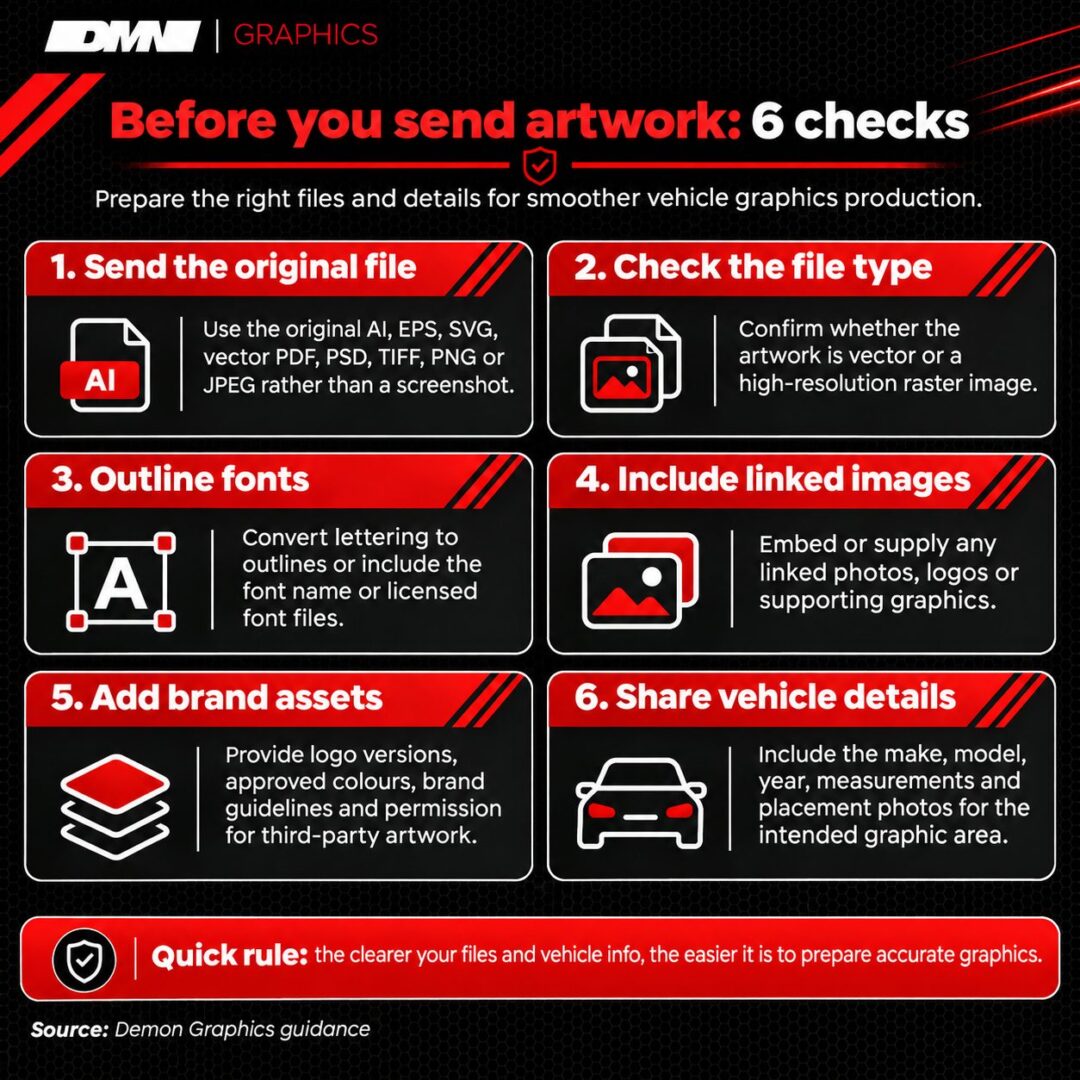
Adobe Illustrator (AI) files are useful for custom vehicle graphics because they contain editable vector shapes that retain sharp edges when resized.
Vector paths allow logos, racing numbers and lettering to scale without losing definition. This makes them suitable for motorsport sponsor decals and personalised vehicle graphics.
Before supplying an AI file, check that:
- Linked images are included or embedded.
- Fonts are outlined or supplied separately.
- Unnecessary elements are removed.
AI files can contain raster images, so they aren’t automatically production-ready.
EPS Files
Encapsulated PostScript (EPS) files can provide scalable vector artwork for vehicle logos, lettering and decorative decals.
Businesses may already have an EPS version of their logo from a previous branding project. This can provide a useful starting point for vehicle graphics.
Check whether the file contains editable paths, correctly displayed text and compatible design effects.
EPS is particularly useful for established logo artwork, although it isn’t a universal requirement. A newer vector format may be equally suitable.
SVG Files
Scalable Vector Graphics (SVG) files can provide sharp, resizable artwork for logos, symbols and custom car decals.
SVG files are commonly exported from digital design applications. They’re useful when preparing graphics with defined shapes, including small emblems or decorative stickers.
However, an SVG may contain embedded raster images, unsupported effects or text that depends on unavailable fonts.
If you’ve downloaded artwork from an online design platform, check its contents before assuming it’s suitable for vinyl cutting.
Vector PDF Files
A vector PDF can work for custom vehicle graphics when it contains usable vector paths rather than a flattened image.
PDFs are convenient for sharing artwork between designers and customers. They can preserve shapes, dimensions and embedded fonts.
However, saving a screenshot as a PDF doesn’t convert the image into vector artwork.
For a custom bonnet graphic, request the original vector PDF from your designer where possible. Check that lettering displays correctly and the artwork has suitable proportions.
Adobe Photoshop Files
Adobe Photoshop (PSD) files can support detailed, image-based vehicle graphics, provided their resolution matches the intended finished size.
Unlike vector artwork, Photoshop designs typically use pixels, which can lose definition when enlarged.
Layered PSD files allow individual design elements to be adjusted, making them useful for photographic graphics and personalised car stickers.
Before submitting artwork, check its pixel dimensions and final measurements. Designs requiring precise vinyl cutting may also need vector outlines to define their shape.
High-Resolution TIFF Files
High-resolution Tagged Image File Format (TIFF) files may suit photographic vehicle graphics when sufficient image detail is available.
TIFF supports high-quality raster image storage and can preserve information without lossy JPEG compression.
However, file size alone doesn’t indicate suitability.
A detailed photograph intended for a large vehicle panel needs enough pixels at its final dimensions. An image suitable for a small sticker may become visibly pixelated when enlarged.
Check the finished measurements and intended production method before selecting TIFF artwork.
High-Resolution PNG Files
PNG files can suit certain printed vehicle stickers, particularly designs requiring transparent backgrounds.
A social media creator might supply a transparent logo for a personalised window sticker.
Transparency helps separate the design from its background, although it doesn’t make the artwork scalable.
Check the original pixel dimensions and inspect the edges at the intended finished size.
A small PNG downloaded from social media may lack sufficient detail for enlargement. Requesting the original artwork is preferable.
High-Resolution JPEG Files
High-quality JPEG files may work for printed vehicle graphics when their resolution and compression levels are suitable.
JPEGs are widely accessible, making them a common starting point for customers without specialist design software.
However, repeated saving can introduce compression artefacts, particularly around lettering and sharp edges.
If you’ve saved a design on your phone, locate the original image rather than submitting a screenshot.
Avoid enlarging a small JPEG beyond its available detail. The final physical dimensions matter more than the file extension.
Logo and Brand Asset Files
Original logo files, brand colours and supporting assets help communicate the intended appearance of custom vehicle graphics.
For motorsport sponsor decals or business vehicle lettering, gather:
- Original logos in available vector formats.
- Approved colour references.
- Alternative logo arrangements.
- Brand guidelines, where available.
- Permission to reproduce third-party artwork.
Separate sponsor files are preferable to a screenshot showing every logo together.
This gives the graphics supplier clearer information about individual proportions, spacing and placement.
Font Files
Font files or outlined lettering help preserve the intended typography of personalised vehicle graphics.
When artwork uses an unavailable font, the design application may substitute another typeface, changing the appearance or spacing.
Converting text into vector outlines preserves its shape, although the lettering becomes harder to edit as text.
For personalised vinyl lettering, check names, registration details, social media handles and spelling carefully.
Supply the font name or appropriately licensed font files where necessary. Keep an editable original if future wording changes are likely.
Reference Images and Design Mock-Ups
Reference photographs and mock-ups help communicate the intended size, position and appearance of custom vehicle graphics, even when unsuitable for production.
For accurate placement, prepare:
- Vehicle make, model and year.
- Photographs showing the intended location.
- Approximate graphic dimensions.
- Preferred colours and finishes.
- Images showing your desired design.
Consider door gaps, handles and curved panels when planning placement.
Once your design is ready, follow our guide to installing car stickers for practical application advice.
Choosing the Best File for Your Vehicle Graphics
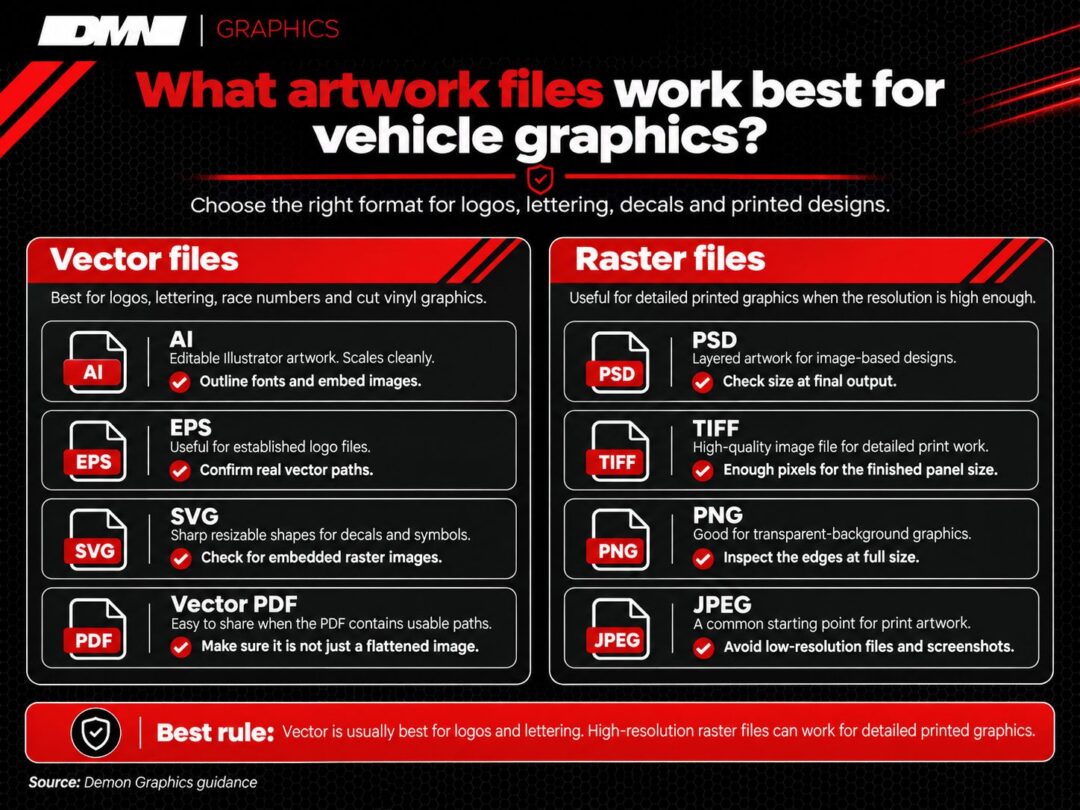
Vector artwork is generally best for logos, lettering and cut vinyl graphics, while high-resolution raster files suit detailed printed designs.
| Artwork Type | Recommended File | Main Check |
| Logos and lettering | AI, EPS, SVG, vector PDF | Vector paths |
| Race numbers | Vector artwork | Accurate dimensions |
| Sponsor decals | Original vector logos | Branding and proportions |
| Photographic graphics | PSD, TIFF, PNG, JPEG | Resolution at finished size |
| Design mock-ups | PNG, JPEG, PDF | Placement and appearance |
Before enquiring, prepare your original artwork, vehicle details, measurements, colour preferences and placement photographs.
Remember that vehicle curves and production methods influence artwork requirements.
If you’re unsure whether your files are suitable, contact us to discuss your design and confirm what information is needed before ordering.


